![canibuild_white.png]](https://support.canibuild.com/hs-fs/hubfs/canibuild_white.png?height=40&name=canibuild_white.png)
You can request any stage of a housing estate to be uploaded to your account. To ensure accuracy and efficiency, please include a full plan of subdivision, and where available, attach utility overlays or contour surveys for enhanced map detail.
- Click the Help Icon to submit a ticket.

- Click Submit a Support Ticket.
OR
- Click Contact Support.
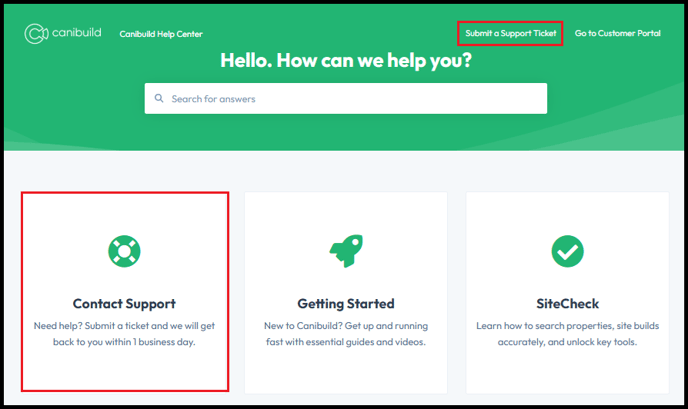
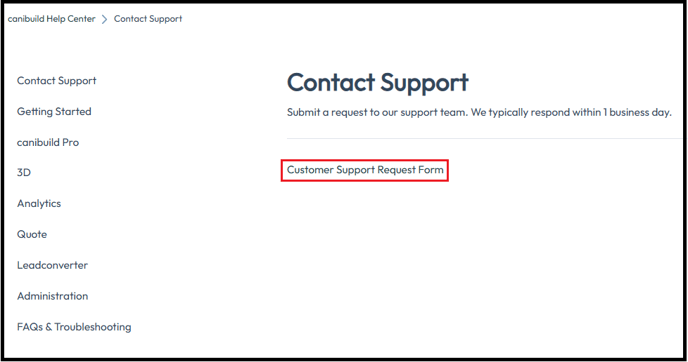
- Click Customer Support Request Form.
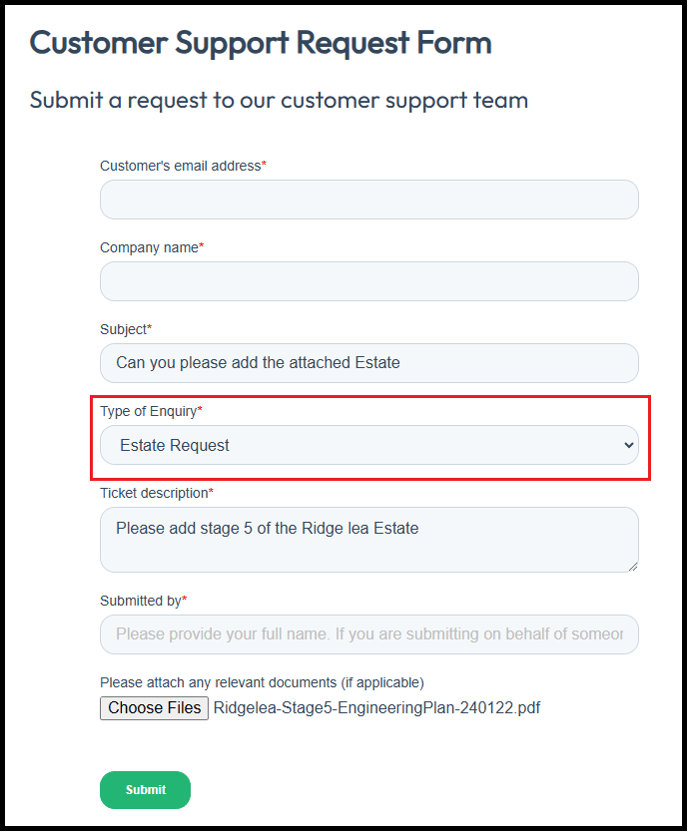
- Enter your details into the Customer Support Request Form.
- Select Type of Enquiry.
- Add a Subject & Description.
- Select Choose Files to add attachments.
When requesting the upload of a new estate or subdivision in Canibuild it is important that you provide the correct information & documents. Providing correct documentation allows for faster uploading from our team, ensures correct listing & guarantees that all relevant information is displayed.
Required Information & Documents to Provide
Below is a list of the required information & documents to provide in order for us to upload a new estate of subdivision to your account. Mandatory fields are marked as Required. Optional fields help provide additional details but are not mandatory.
Name of the Estate (*Required)
-
Official name or title of the land estate as designated by the developer or council.
-
Used to identify and display the estate within Canibuild.
-
Appears on marketing materials and internal data management systems.
Format: Registered Estate Name.
Estate Website (*Required)
-
Official website or landing page providing public-facing information.
-
Includes location, developer details, stage releases, sales contacts, and design guidelines.
-
May contain marketing materials, downloadable brochures, and contact forms.
Format: Webpage Link.
Location (*Required)
-
General address including locality, council, and state name.
-
Coordinates or contextual screenshot can also be provided.
Format: Address or Latitude & Longitude Coordinates
Survey Plan / Pegging Plan with Dimensions (*Required)
-
Provides precise boundary measurements and lot dimensions as surveyed on-site.
-
Includes pegged positions, bearings, distances between boundary points, and scale of the drawing.
Format: PDF with dimensions & scale (preferable) or CAD format
Stage Plan / Release Plan (If Applicable)
-
Detailed layout of each stage or release within the estate.
-
Includes lot & stage boundaries, numbering, dimensions, and road alignments.
-
Helps identify which lots are part of each release and their corresponding status.
Format: PDF with dimensions & scale (preferable) or CAD format
Estate Master Plan (Optional)
-
Comprehensive layout showing the overall design of the entire estate.
-
Includes all stages, lots, roads, open spaces, and amenities.
-
Provides a visual overview of how full development is structured & connected.
Format: PDF with dimensions & scale (preferable) or CAD format
- Click for Sample.
Disclosure Plans (If Available)
-
Plans containing design contours along with utilities information.
-
Includes stormwater, drainage, and water lines for each lot.
Format: PDF with dimensions & scale (preferable)
- Click for Sample.
Building Envelope Plans / Design Guidelines (If Available)
-
Documents that outline the buildable area within each lot.
-
Show mandatory setbacks, building envelopes, height limits, site coverage rules, and estate-specific design controls.
-
Define where dwellings can be positioned to ensure compliance with developer and council requirements.
Format: PDF with setback information
- Click for Sample.
- Click for Design Guidelines.
Engineering Plan / Civil Plan (Required for Utilities & Contour Info)
-
Detailed plans showing road layouts, drainage systems, sewer and water services, stormwater infrastructure.
-
Contain contour lines and utilities information required for lot development.
-
Either disclosure plans or engineering plans can be provided if they include utilities and contour information—they supplement each other.
Format: PDF with dimensions & scale (preferable) or CAD format
- Click for Sample.