![canibuild_white.png]](https://support.canibuild.com/hs-fs/hubfs/canibuild_white.png?height=40&name=canibuild_white.png)
If you have reached your monthly lookup limit, you can add more lookups or upgrade your plan at any time using the self-service billing option in the Admin section.
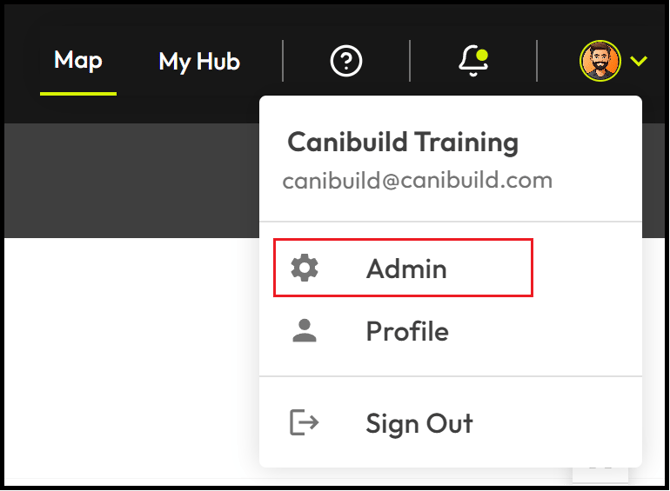
- To access the Admin section Click on your initials on the top right corner of the screen.
- Select Admin from the dropdown menu.
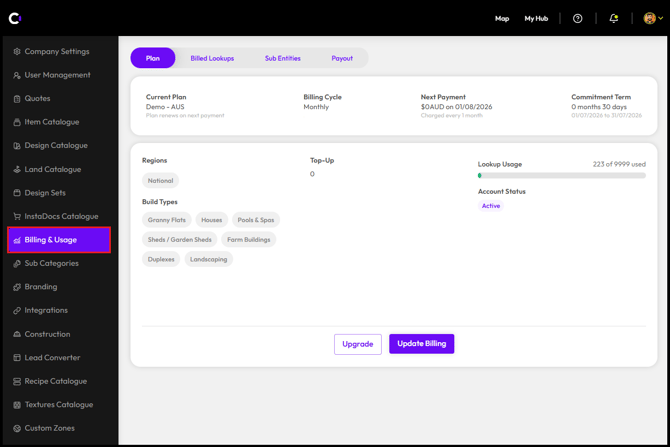
- Click Billing and Usage.
-
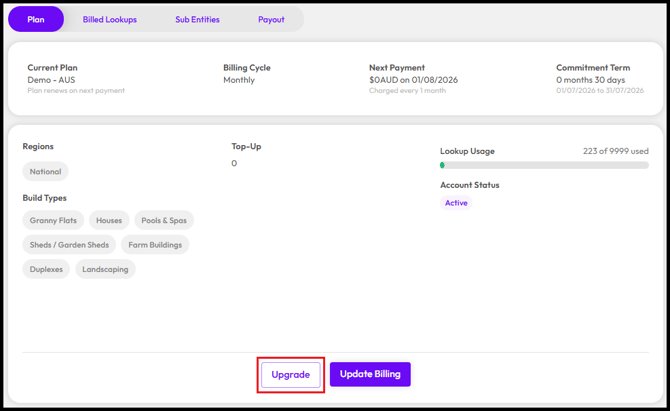
Click Upgrade.
-
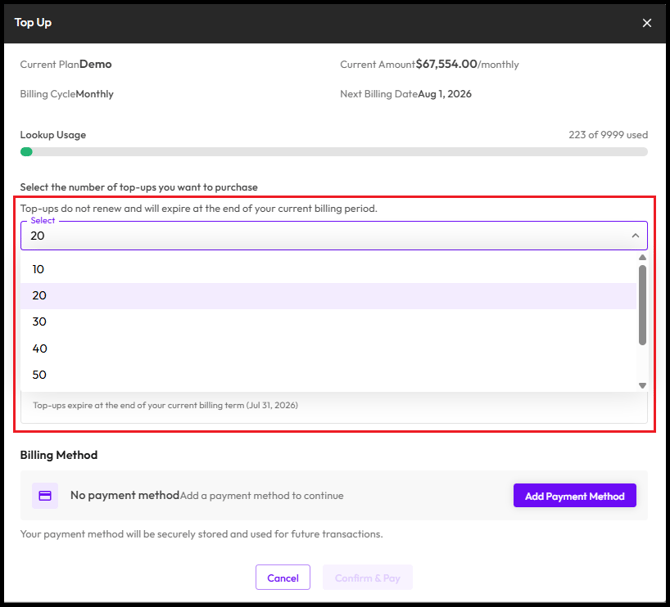
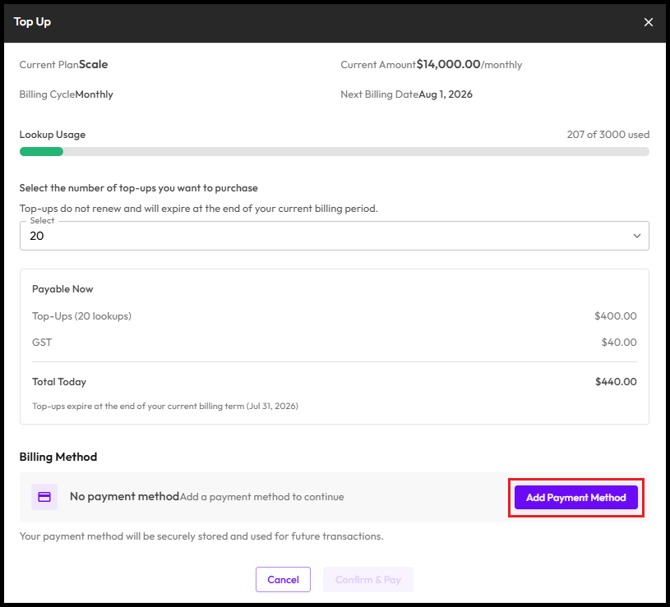
Select the number of additional lookups you require.
-
Click Add Payment Method.
-
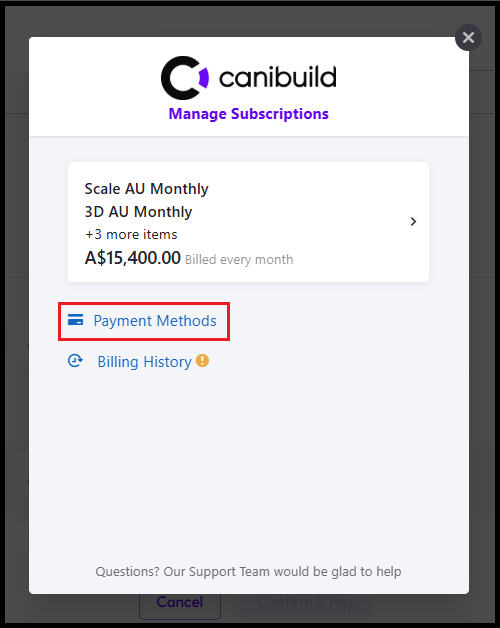
Select Payment Methods.
-
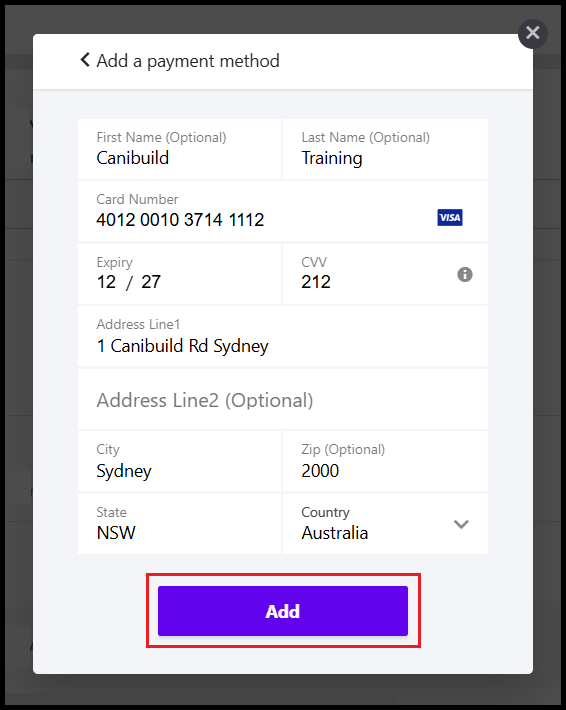
Enter Payment Details.
- Click Add.
- Click Confirm & Pay.
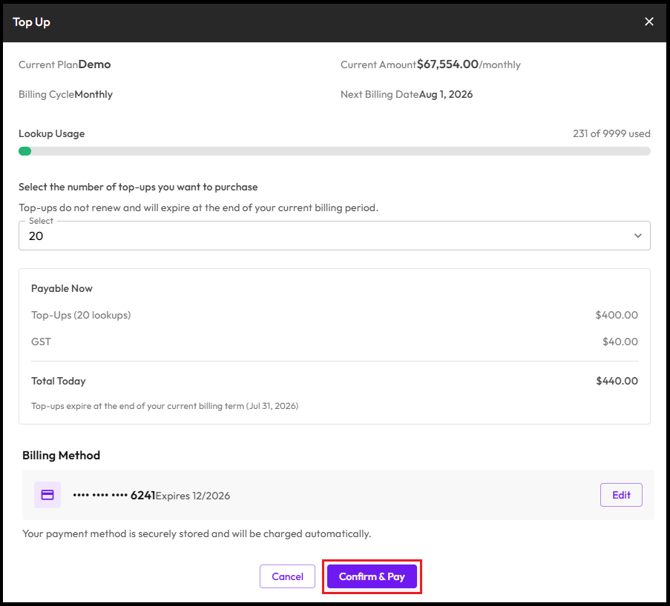
Your additional lookups will be available immediately once the payment is processed.
If you would like to increase your base monthly lookup allocation going forward, the Upgrade option also allows you to change your plan — not just add a one-time top-up.